
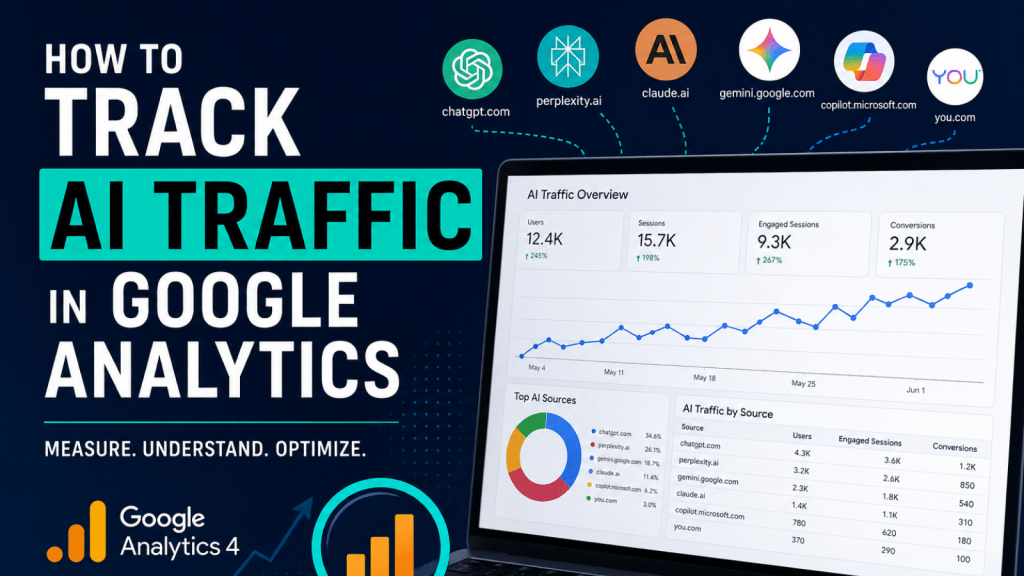
Artificial intelligence platforms like ChatGPT, Perplexity, Claude, Gemini, and Copilot are rapidly becoming major traffic drivers for websites. As more users search for answers through AI tools instead of traditional search engines, marketers and business owners need to understand how this traffic behaves and how to measure its impact.
The good news is that Google Analytics 4 (GA4) allows you to track AI-driven traffic sources with a custom channel group setup. Once configured, you can monitor how users from AI platforms interact with your website, which platforms drive the most engagement, and whether AI traffic leads to conversions.
Additional Resources
ChatGPT vs. Gemini vs. Claude: Which AI Tool Is Best for Your Business?
Why Tracking AI Traffic Matters
AI search and conversational platforms are changing how people discover information online. Instead of typing keywords into Google, users are now asking AI assistants for recommendations, summaries, and direct answers.
This creates a new opportunity for brands and marketers:
- Understand how much traffic AI tools are sending to your website
- Measure engagement and conversion rates from AI users
- Identify which AI platforms are driving the highest-quality visitors
- Optimize content for AI discovery and visibility
- Track emerging referral sources before competitors do
Without proper tracking, much of this traffic may appear as referral traffic or become buried inside default GA4 reporting.
Step 1: Create a Custom Channel Group in GA4
The first step is creating a dedicated channel group specifically for AI traffic.
In GA4:
- Go to Admin
- Select Data Settings
- Click Channel Groups
- Create a new custom channel group
This allows you to separate AI traffic from other referral sources and analyze it independently.
Step 2: Define AI Referral Traffic
Next, create rules that identify traffic from AI platforms using referral domains.
A regex-based rule works best because it can capture multiple AI platforms in a single condition.
Example AI referral sources to include:
- chatgpt.com
- perplexity.ai
- claude.ai
- gemini.google.com
- copilot.microsoft.com
- you.com
Example regex:
(chatgpt.com|perplexity.ai|claude.ai|gemini.google.com|copilot.microsoft.com|you.com)
Within your custom channel group:
- Set the condition to Session source
- Choose matches regex
- Paste your AI referral regex
This tells GA4 to classify traffic from these sources under your new “AI Traffic” channel.
Step 3: Apply and Save Your Channel
Once your rules are configured:
- Save the channel group
- Apply the changes to your reporting view
GA4 will now begin categorizing qualifying sessions as AI traffic.
Keep in mind that historical data may not fully populate depending on how your channel groups are configured. Most value comes from ongoing tracking and future analysis.
Step 4: Analyze AI Traffic Performance
After setup, you can begin analyzing how AI users interact with your website.
Key metrics to monitor include:
- Users
- Sessions
- Engaged sessions
- Engagement rate
- Average engagement time
- Conversions
- Revenue
- Landing pages
Look for trends such as:
- Which AI platforms drive the most traffic
- Whether AI users engage differently than organic search users
- Which pages attract AI-generated traffic
- Whether AI traffic converts into leads or sales
You may discover that AI visitors spend more time on educational content, blog posts, or detailed resource pages.
Step 5: Build Custom AI Dashboards
Custom dashboards make it easier to monitor AI traffic trends over time and share insights with stakeholders or clients.
Recommended dashboard widgets:
- Total AI users
- AI sessions over time
- Top AI referral sources
- Conversion performance
- Revenue from AI traffic
- Top landing pages from AI referrals
Using Looker Studio alongside GA4 can help visualize AI traffic trends in a more executive-friendly format.
Popular AI Referrers to Monitor
Here are some of the most important AI traffic sources currently emerging:
- ChatGPT
- Perplexity
- Claude
- Gemini
- Microsoft Copilot
- You.com
This list will continue evolving as new AI platforms gain popularity.
Pro Tip: Regularly Update Your AI Referral List
The AI landscape changes quickly. New tools and platforms appear constantly, and referral domains may change over time.
Review your AI referral regex regularly to ensure you are capturing new traffic sources.
Early adoption and accurate tracking can provide a major competitive advantage as AI-driven discovery becomes more common.
Final Thoughts
AI traffic tracking is becoming an essential part of modern digital analytics. Businesses that start measuring and understanding AI-driven visitors today will be better positioned to adapt to the future of search and online discovery.
By creating a custom AI traffic channel in GA4, you can gain clearer visibility into how users from AI platforms find and interact with your website.
As AI continues reshaping the digital landscape, tracking these users is no longer optional. It is quickly becoming a critical part of marketing analytics and reporting.










Leave a Reply